Run a League (Commissioner's Guide)
Who this is for: Creating a league needs BOOKER or ADMIN; after that, the commissioner (whoever created it — any role with that button) runs it. Players who only draft and report results just need Report Match Results.
A commissioner's guide to leagues — the multiplayer mode where players draft wrestlers and compete on shared shows. Written for the player who creates the league; players who join only need Report Match Results.
The commissioner's arc: create the league → invite players → run the snake draft → book and settle matches → hand out the crown.
Step 1 — Create the league
Open Leagues from the navigation and create a new league. You become its commissioner automatically. Key settings:
- Name — what players see on join.
- Max picks per player — how many wrestlers each player drafts.
- Duration — how many weeks the season runs.
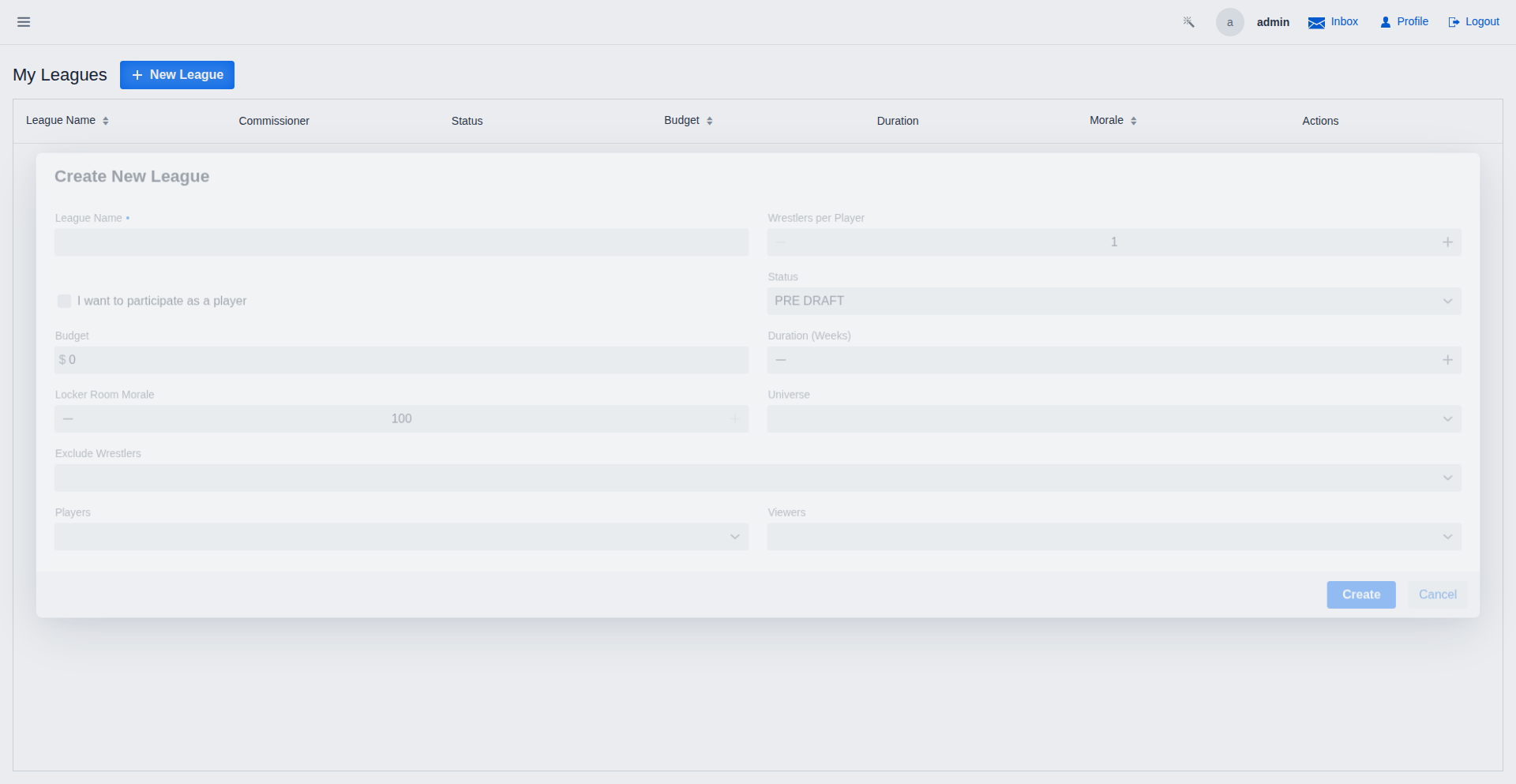
The league starts in Pre-Draft status — nobody picks yet.
Step 2 — Invite the players
From the league's row on the Leagues page, click the invite link button. The invite dialog generates a shareable link — send it to your players.
Anyone opening the link either signs in or creates an account, then lands in your league. When everyone you want is in, move to the draft.
Step 3 — Start the snake draft
As commissioner, start the draft once all players have joined. The draft snake-sequenced order: player 1, 2, 3, … then back 3, 2, 1 — so nobody gets a permanent first-pick advantage.
On the Draft page:
- The UI shows whose turn it is and the available wrestler pool.
- On your turn, click Pick next to your wrestler.
- Picks are live — everyone sees the board update as each player picks.
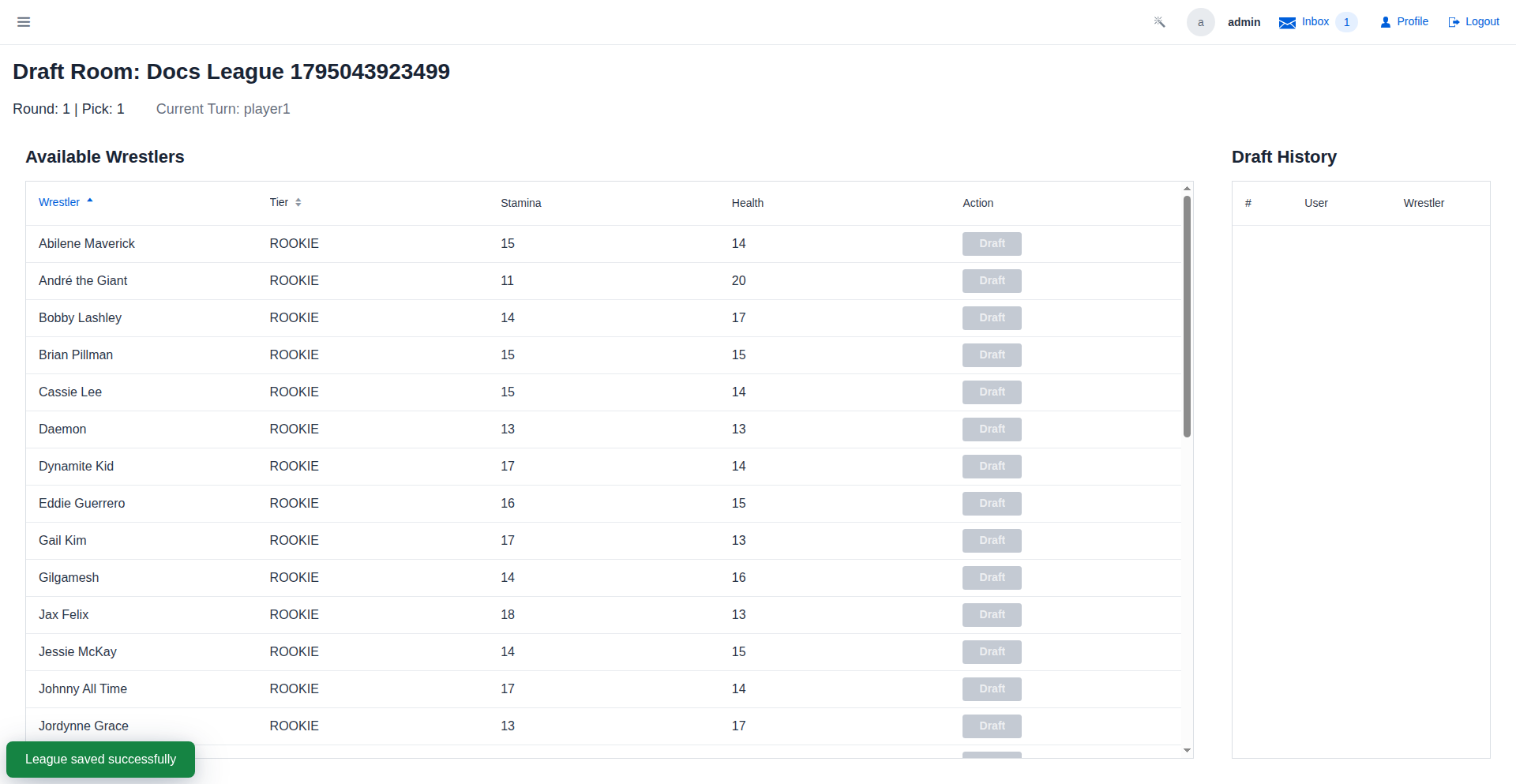
When every player has their full slate of picks, the league flips to Season Active and match booking begins.
Step 4 — Book and settle matches
League matches live on shows. When a match between two league wrestlers is booked on a show assigned to the league:
- Each involved player gets an inbox notification asking them to report the result.
- Players pick the winner in the report dialog (Report Match Results covers their side).
- Reported results flow into the standings immediately.
You book league shows like any other — see Schedule a Show, and remember to attach the league on creation so its matches count.
Step 5 — Watch the standings, crown the winner
The league dashboard has three tabs:
- Standings — wins, losses, and draws per wrestler, updating live as results come in.
- Rosters — every player's drafted wrestlers.
- Show History — every show and match result the league produced.
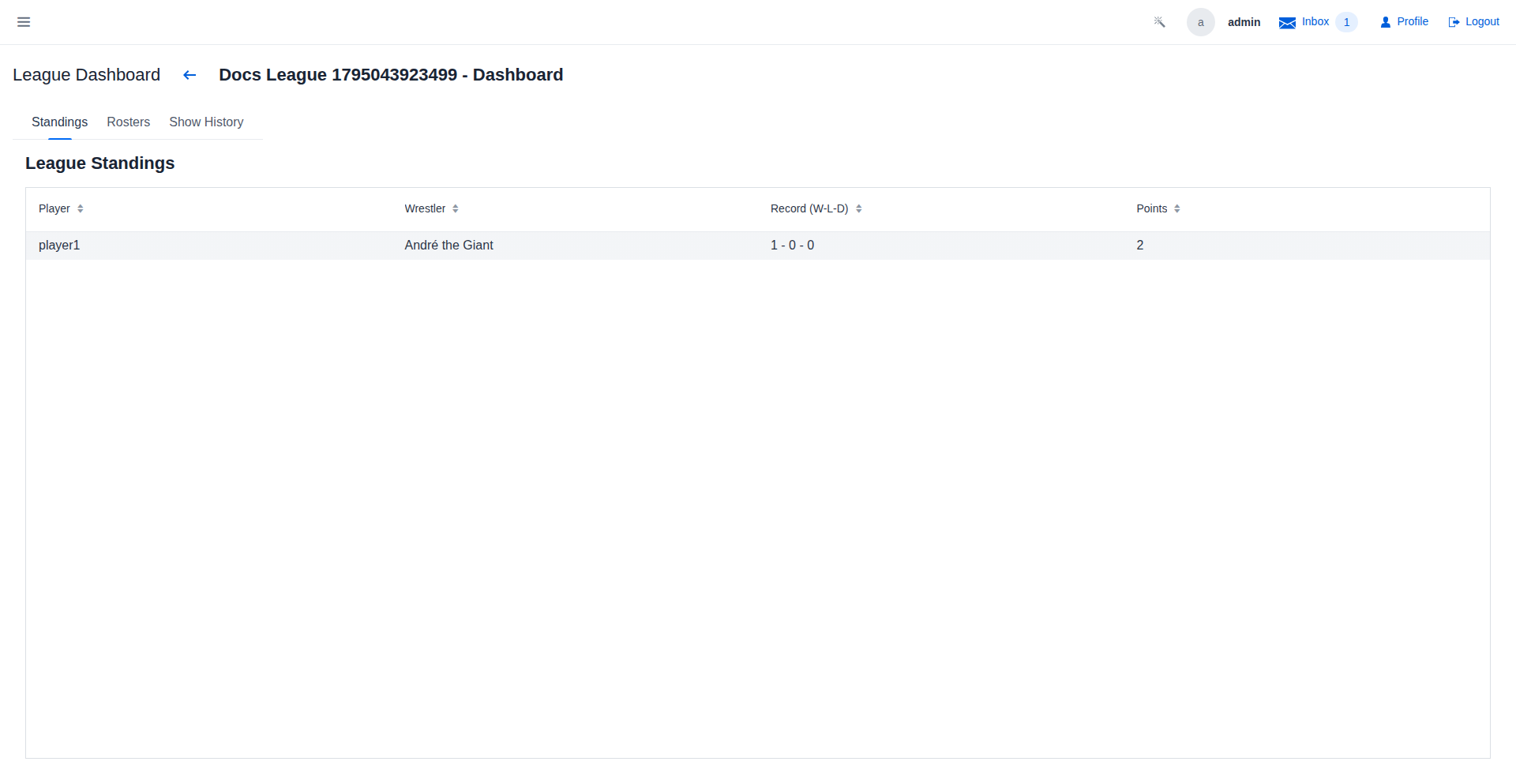
When the season's matches are settled, the league closes out Completed and its history stays browsable.
Commissioner tips
- Report stalls kill leagues. Nudge players whose matches await results — standings can't settle until they report.
- Exclusions — you can bar specific wrestlers from the draft pool (e.g. champions held by the promotion) when configuring the league.
- Assign shows to the league — a show only counts for league standings if it was created with the league attached.
Where to go next
- Report Match Results — what your players do each match.
- Set a Player-Controlled Wrestler — giving each player a wrestler outside the draft.
- The auto-generated Leagues Overview documents every league screen.